Help center
A help center on your own domain — and the knowledge your AI agent answers from.
A WordPress knowledge base with AI built in. Write help articles in the WordPress block editor and publish them at your-site.com/help/, in your theme, with your SEO plugin. The same articles power search in the chat widget, suggestions while customers type and the answers of your AI agent.
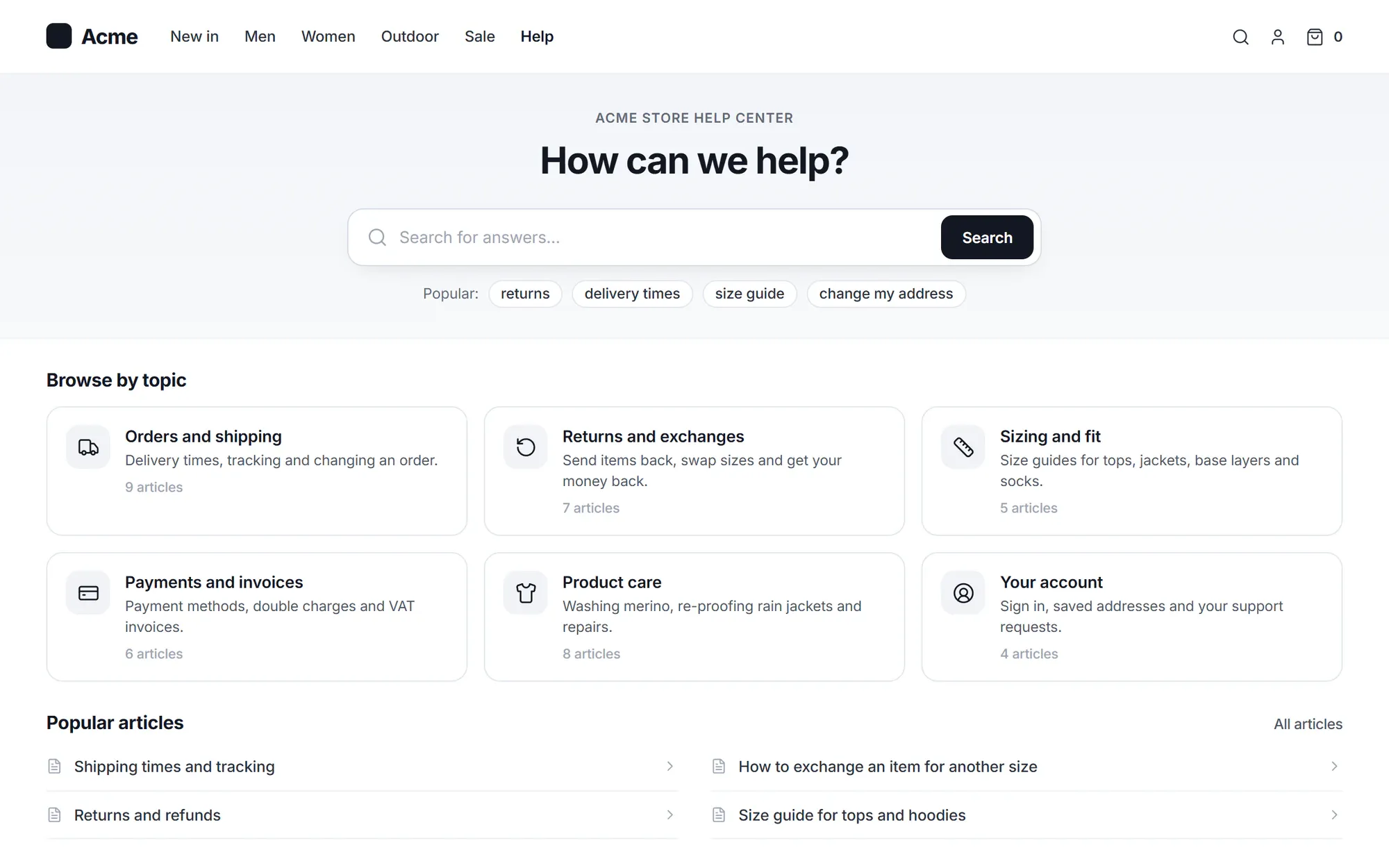
A help center nobody finds is just more work.
- “Our docs live on a subdomain with a different look and no SEO.”
- “Customers search “parcel”, our article says “package” — zero results.”
- “Half the articles are out of date and nobody knows which half.”
- “We wrote the answer in a reply last week. It never made it into the docs.”
How it works
Write, publish and keep it right
Write
Articles are WordPress posts, written in the block editor
Start from a template — How-to, Troubleshooting, Policy, Release note or Questions and answers — or paste Markdown and it turns into blocks. Callouts, steps, accordions and videos with transcripts are ready as block patterns.
- Edit a published article as a draft, then publish the changes as a new revision
- Draft, Pending review, Scheduled and Published, with a reviewer who gets notified
- Reuse text across articles with synced patterns, and tokens such as {site.name}
- Review dates: the owner gets a task when an article is due for a check (every 12 months by default)

Publish
Your domain, your theme, your SEO plugin
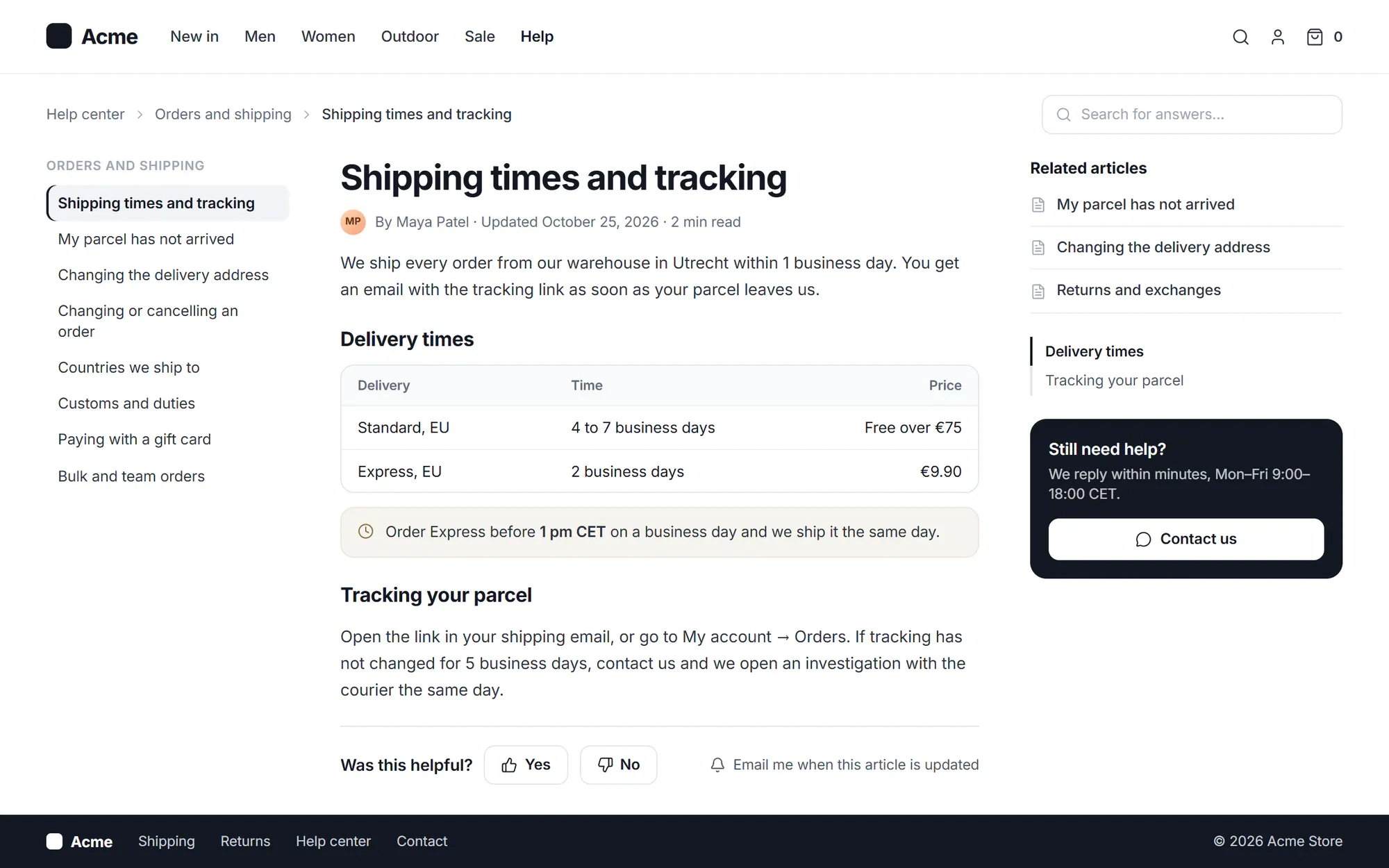
The help center lives at an address you choose, such as example.com/help/. The pages are block templates you edit in the Site Editor, with your theme’s header and footer; classic themes work too. Help center styles and scripts load only on help center pages.
- Works with Yoast, Rank Math, SEOPress and AIOSEO; without one, Cliedesk adds the meta tags and Article schema
- Old addresses redirect when you rename an article, plus up to 500 redirects of your own
- Logo, accent colour, light, dark or automatic colours, and category card styles
- Embed any article on another page with a block or shortcode
Find
Search that finds the answer — before a conversation starts
Help search tolerates typos, weighs your search keywords higher than the text and knows your synonyms (“parcel = package, delivery”). While a customer types a chat message or a request, up to 3 articles are suggested; if they choose That helped, no conversation is created.
- Searches that found nothing are listed, so you know what to write next
- Related, featured and popular articles (views by agents and bots don’t count)
- No suggestions for words you choose — by default refund, billing, cancel, invoice and charge
- Help inside the chat widget, with Still need help? one tap away

Who can read it
Public, internal or just for some customers
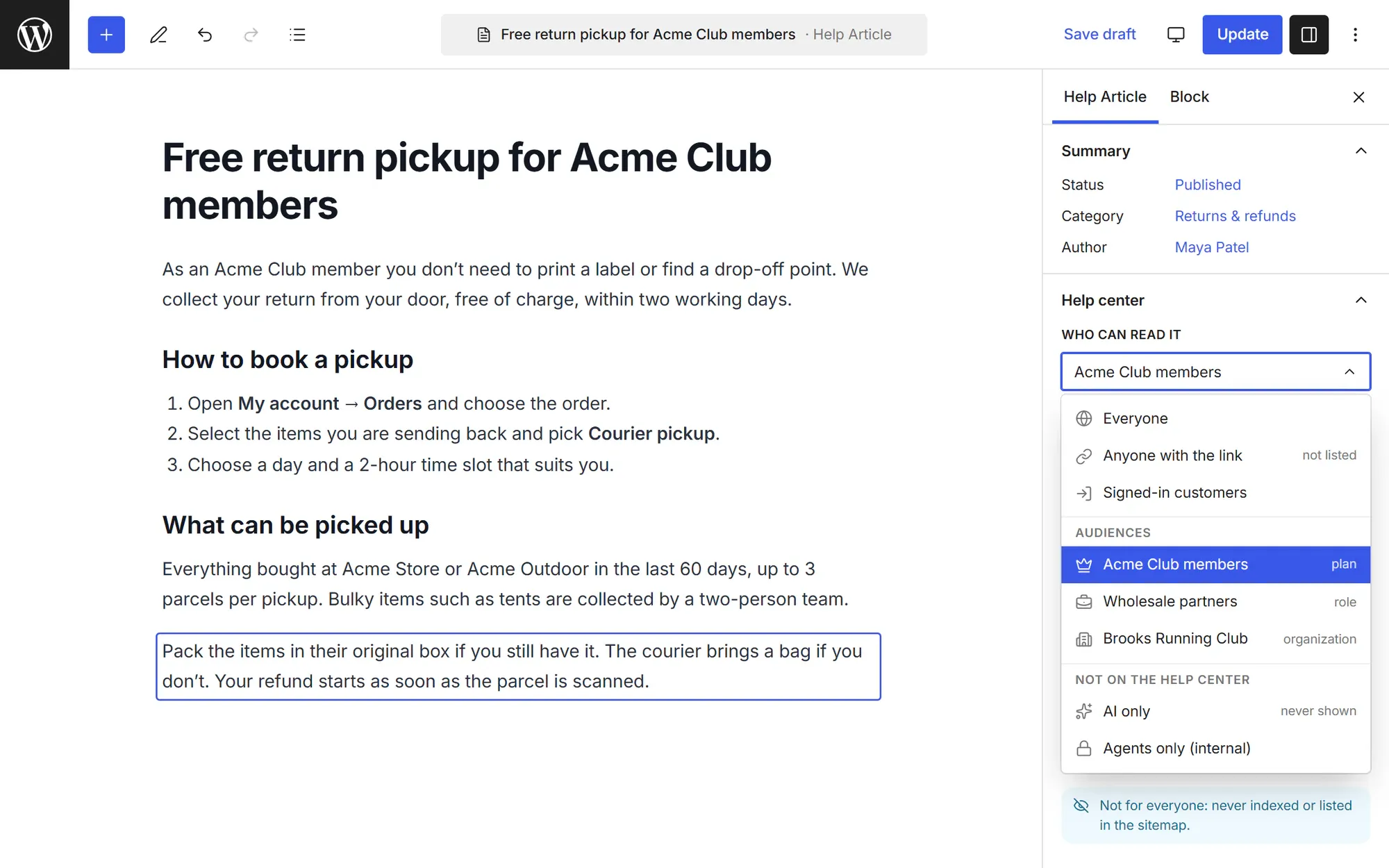
Each article and category says who can read it: everyone, or agents only for internal articles that never appear in customer replies. Go further with articles for signed-in customers, articles anyone with the link can open, audiences by role, segment, plan or organization, and a private help center behind a sign-in, roles or a shared password.
- Articles that are not for everyone are never indexed or listed in the sitemap
- A category’s setting applies to its articles and sub-categories
Knowledge
More than articles: pages, files and web pages
Agents find help articles, your site pages, files and web pages in one Knowledge list next to the conversation. Pick post types or single pages from your site, add files, or fetch web pages from a sitemap — up to about 5,000 pages.
- The public help search shows only help articles
- Password-protected content is never used
- Fetch again updates only the pages that changed

Content gaps
The AI shows what is missing — and drafts it
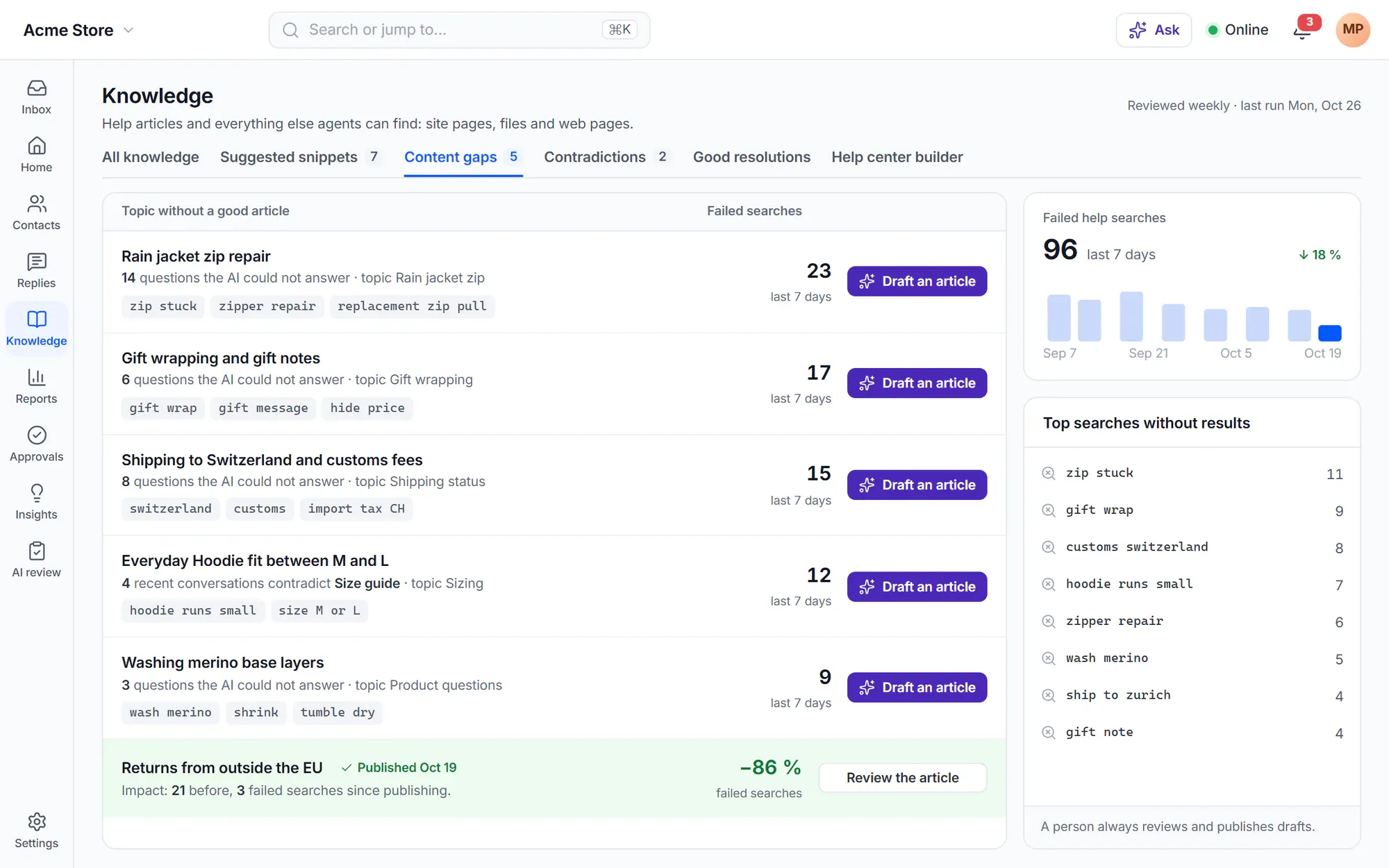
A weekly review lists topics without a good article, with evidence such as failed searches, questions the AI could not answer, and articles that recent conversations contradict. Draft the missing article in one click; a person always publishes.
- A help center builder proposes categories and 5–40 draft articles from your pages and products
- After you publish, the gap shows failed searches before and after
Built in
Everything a help center team needs
-
Articles in replies
Type ? and a word in the composer to insert an article, in the customer’s language when a translation exists.
-
Conversation to article
Create an article for review from a customer’s question and your public answers, or a proposed update to an existing one.
-
Feedback that leads somewhere
When a reader says an article did not help, the article owner can get a review task.
-
Multilingual
Translations from WPML or Polylang, or linked by Cliedesk itself, with hreflang links and a language switcher.
-
Import your old help center
Bring articles over from Zendesk Guide, Intercom, Gorgias, Help Scout Docs, Crisp, Freshdesk, Document360, HelpDocs, BetterDocs or weDocs, as drafts.
-
Knowledge roles
Separate permissions to write, publish and manage, and limits on which categories a role may edit.
-
Schedule and archive
Publish on a date, unpublish on a date, and archive an article so its address says it is gone.
-
Comments and update emails
Let readers comment and get an email when an article changes. Off by default.
-
Bulk edit with undo
Change who can read, the owner and the home placement of many articles at once, with undo.
✦ AI in the help center
Answers on your help pages, and articles that stay right
The Ask block gives customers an answer with links to your public articles and a Talk to a person button. Search by meaning finds “packages” when someone types “parcel”. In the editor, the AI writing assistant drafts from an outline and shows every change as a diff, and the conflict check compares an article with your other articles, saved replies and AI policies. AI never publishes anything by itself.
How the AI agent uses your knowledge- Answer verbatim for prices, legal text and warranty
- AI-only snippets that correct an answer within a minute
- Choose per article whether the AI may use and cite it
WordPress-native
A knowledge base that is part of your site
- Articles are WordPress posts: revisions, authors and Tools → Export work as usual
- On your own domain, with your SSL and login — no subdomain
- Block templates in the Site Editor, using your theme’s header and footer
- Theme CSS always wins; developers get actions, filters and body classes
- Help search anywhere with the Help search block or a shortcode
- Deleted articles go to the trash first and come back with their revisions
In the free plugin: articles, categories, typo-tolerant search with synonyms, suggestions while typing, help in the widget, feedback, internal articles and site pages, files and web pages as knowledge. Cliedesk Pro adds: articles for signed-in customers, by link or by audience, a private help center, a help center per product, bulk edit, unpublish dates, imports and the AI tools.
Compare plansFrequently asked questions
Can’t find your answer? Search the docs or ask us.
Search the docs →Get support →Is the help center on my own domain?
Yes. It runs inside your WordPress site at an address you choose, such as example.com/help/, with your SSL, login and theme. When you change the address, the last five old addresses keep redirecting.
Does it work with my SEO plugin?
Yes. If Yoast, Rank Math, SEOPress or AIOSEO is active, it handles meta tags and schema. Without one, Cliedesk adds a description, Open Graph tags, canonical links, Article and breadcrumb schema and links between translations.
Can I keep some articles private?
Yes. Any article can be for agents only. With Cliedesk Pro, articles can also be for signed-in customers, for anyone with the link, or for an audience such as a role, segment, plan or organization — and the whole help center can be private.
Can I move my articles from another help desk?
Yes, with Cliedesk Pro. Import from Zendesk Guide, Intercom, Gorgias, Help Scout Docs, Crisp, Freshdesk, Document360, HelpDocs, BetterDocs or weDocs, or from HTML, Markdown, Word and CSV files. Articles arrive as drafts, images are copied and old addresses can redirect.
Does the AI agent answer from the help center?
Yes. The AI agent and the copilot use your articles, and you choose per article whether the AI may use it and show the link. Articles for an audience are not used by the AI agent.
Do I need a separate knowledge base plugin?
No. The help center is part of Cliedesk. If your docs live in another plugin’s post type, you can still use those pages as knowledge for agents and the AI.
Publish the help center your customers actually find.
Install the free plugin, write your first article in the block editor and see it in the chat widget.