AI triage and quality
Every message sorted before rules run. Every conversation scored.
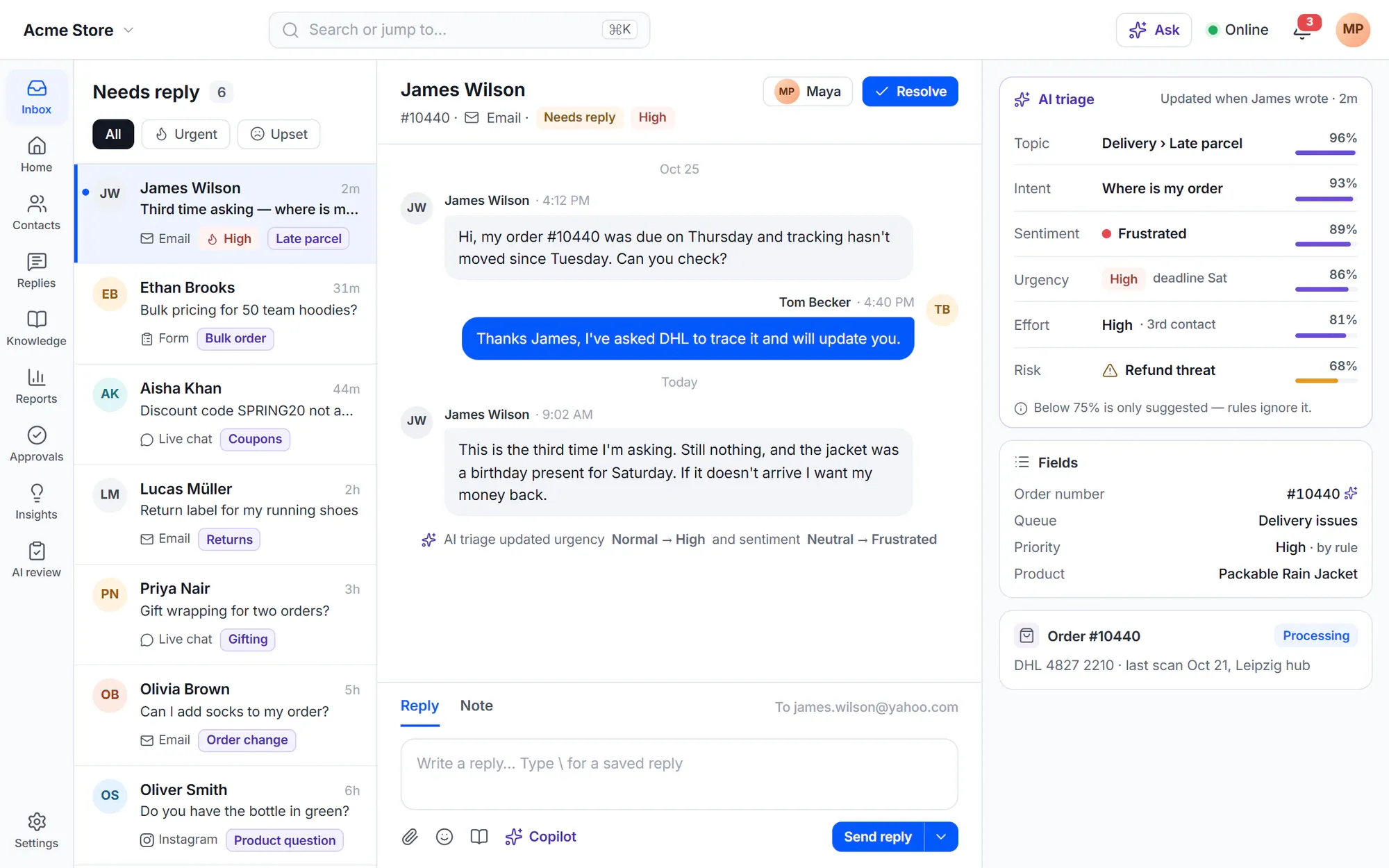
AI ticket triage fills topic, intent, sentiment, urgency, effort and risk when a conversation arrives and each time the customer writes — so your routing and rules work on meaning, not keywords. After it’s resolved, AI scores it and AutoQA checks it against your scorecard.
AI features are part of Cliedesk Pro and run on your own AI provider key.
What AI detects
Triage fields, filled on every message
Results are ordinary fields with a source and a confidence, so people can see and correct them — and rules can use them.
-
Topic and intent
What the conversation is about and what the customer wants. Two unrelated questions? AI proposes splitting them.
-
Sentiment
How the customer feels, so frustrated customers can go to the right queue.
-
Urgency and effort
How urgent it is and how much work it will take — separate from the priority your team sets.
-
Risk signals
When AI finds a safety signal, AI replies are switched off for that customer and supervisors are told.
-
Reply needed
Spots messages that need no answer, such as a simple thank-you.
-
Entities
Order numbers and product codes, also from attached PDF, Word, Excel and text files.
How triage works
Fast, correctable and never in the way
Before your rules
Rules run after triage — so they can use it
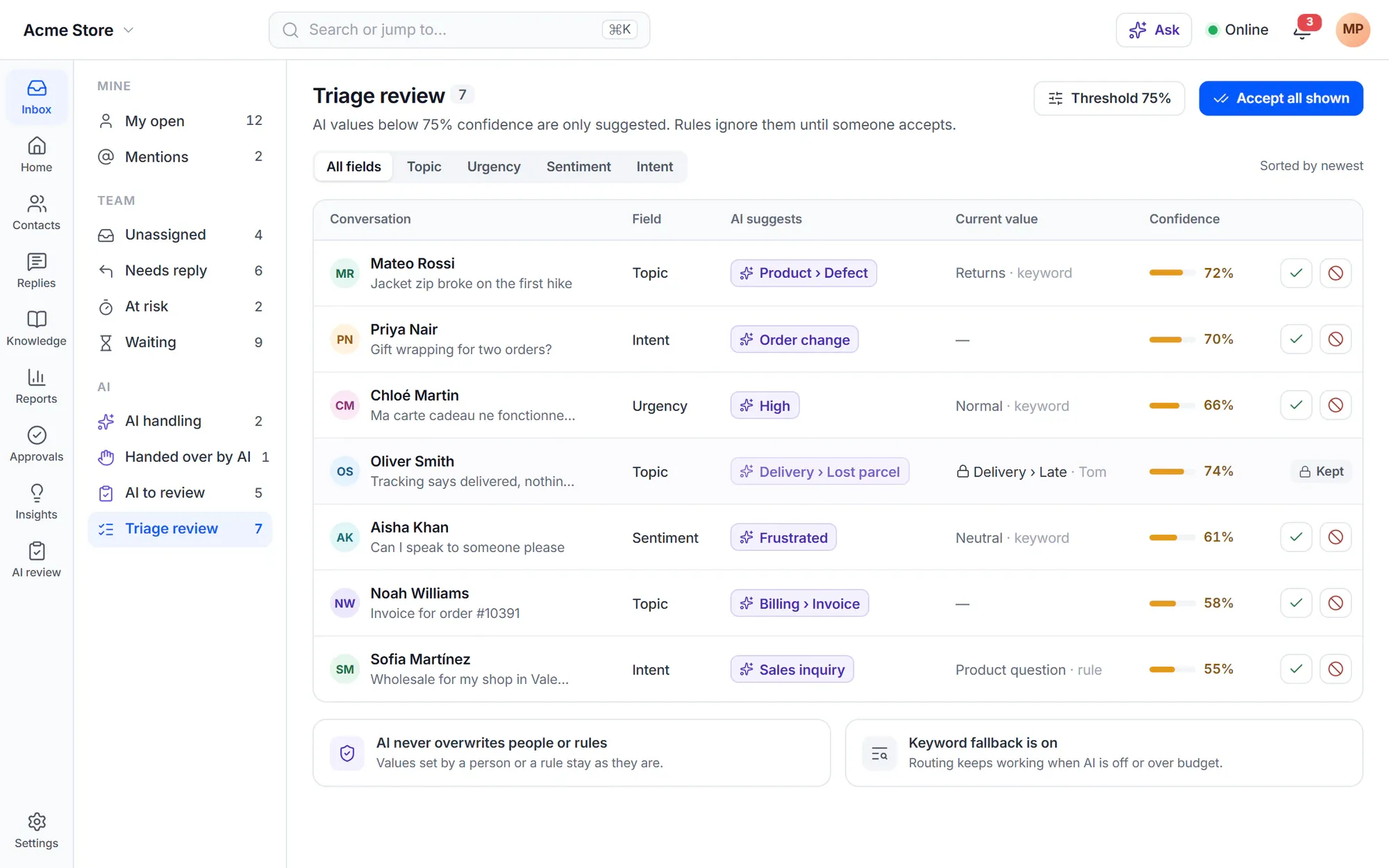
A rule on “Conversation created” can already use the topic or the urgency. Rules wait a few seconds for AI values (4 by default), then fall back to your keyword values and run again once when the AI values arrive.
- AI never changes a value a person or a rule set
- Values below the confidence threshold are only suggested, and rules ignore them
- When AI is off or the budget is used up, your keyword lists keep routing working
Topics
A topic list that keeps up with your customers
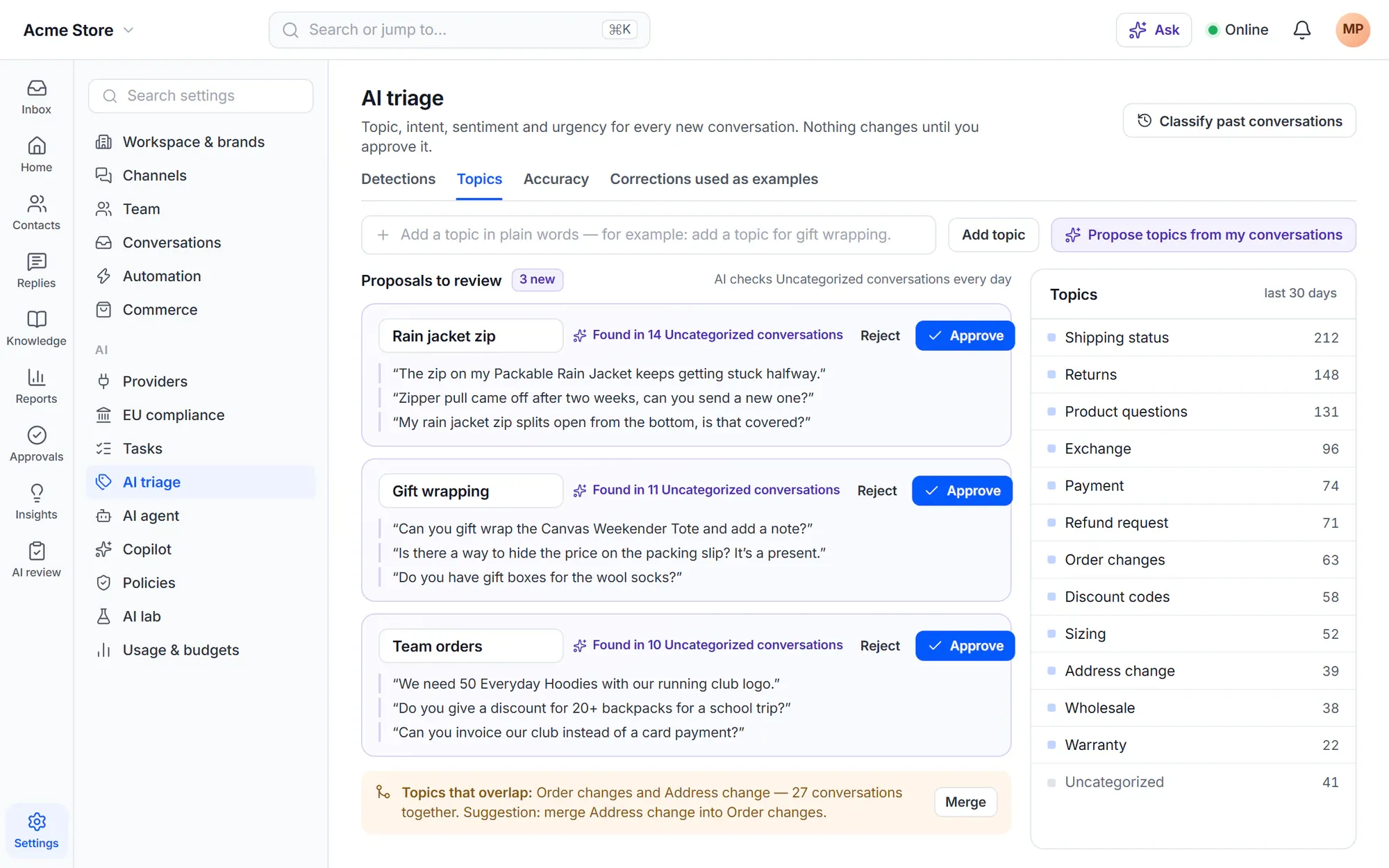
Add a topic in plain words, or let AI propose topics from your last 90 days. Every day AI looks at uncategorized conversations and proposes a new topic when 10 or more are alike. Nothing changes until you approve it.
- Overlapping topics are flagged with a suggested merge
- Classify past conversations for a period you choose
- Corrections are kept as examples you can delete — nothing trains a model
Insights
See problems while they’re still small
Alerts and incidents
A spike becomes an alert — and an incident in one step
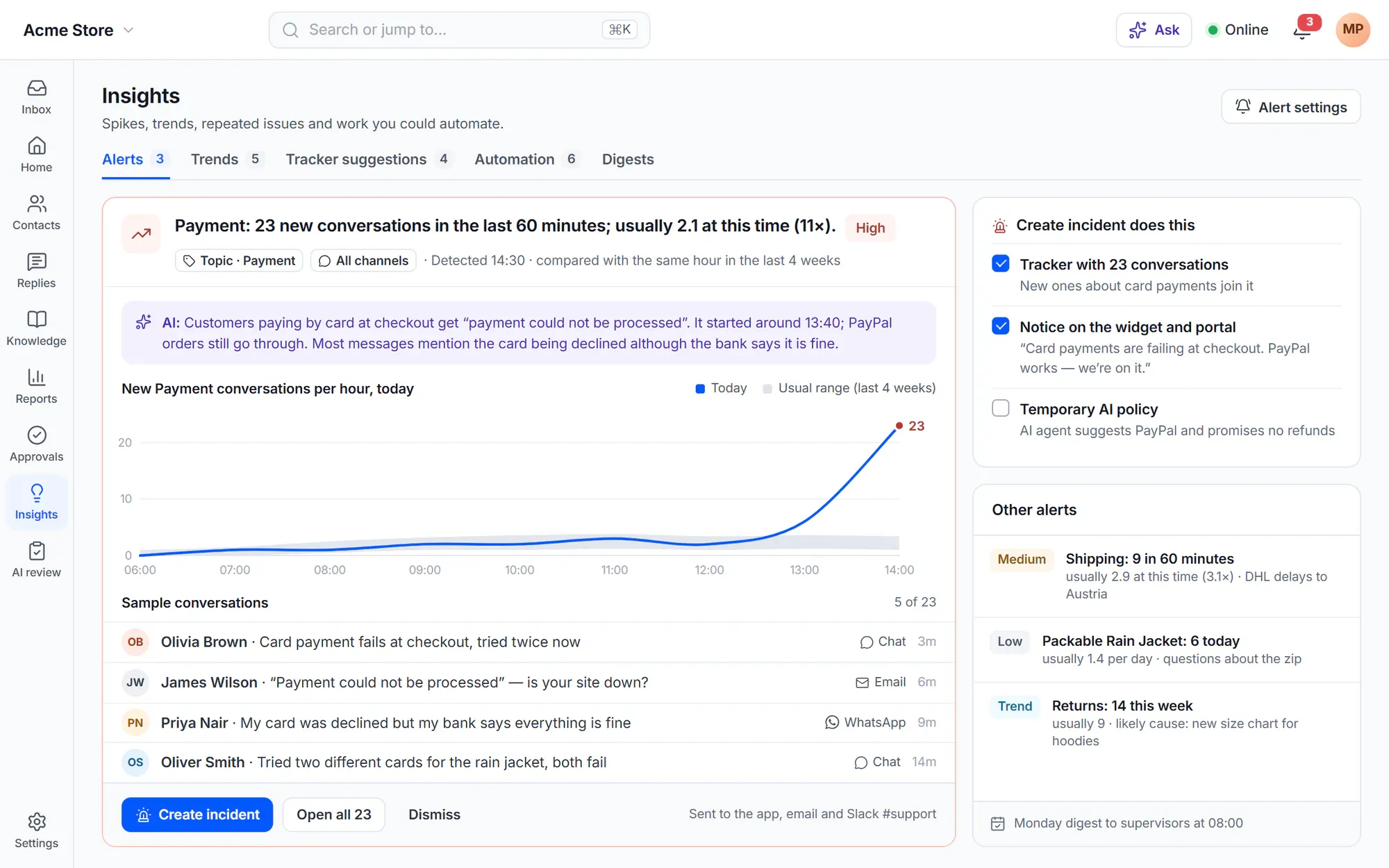
Every 10 minutes Cliedesk compares new conversations per topic, intent, product and channel with the same hour in the last 4 weeks. A clear spike creates an alert with a severity and sample conversations. One click creates an incident: a tracker, a notice on the widget and portal, and an optional temporary AI policy.
- Alerts in the app, by email, in Slack or Teams and through webhooks
- Weekly trends show only changes too big to be chance, with the likely cause
- A Monday digest for supervisors with the week’s changes and AI cost
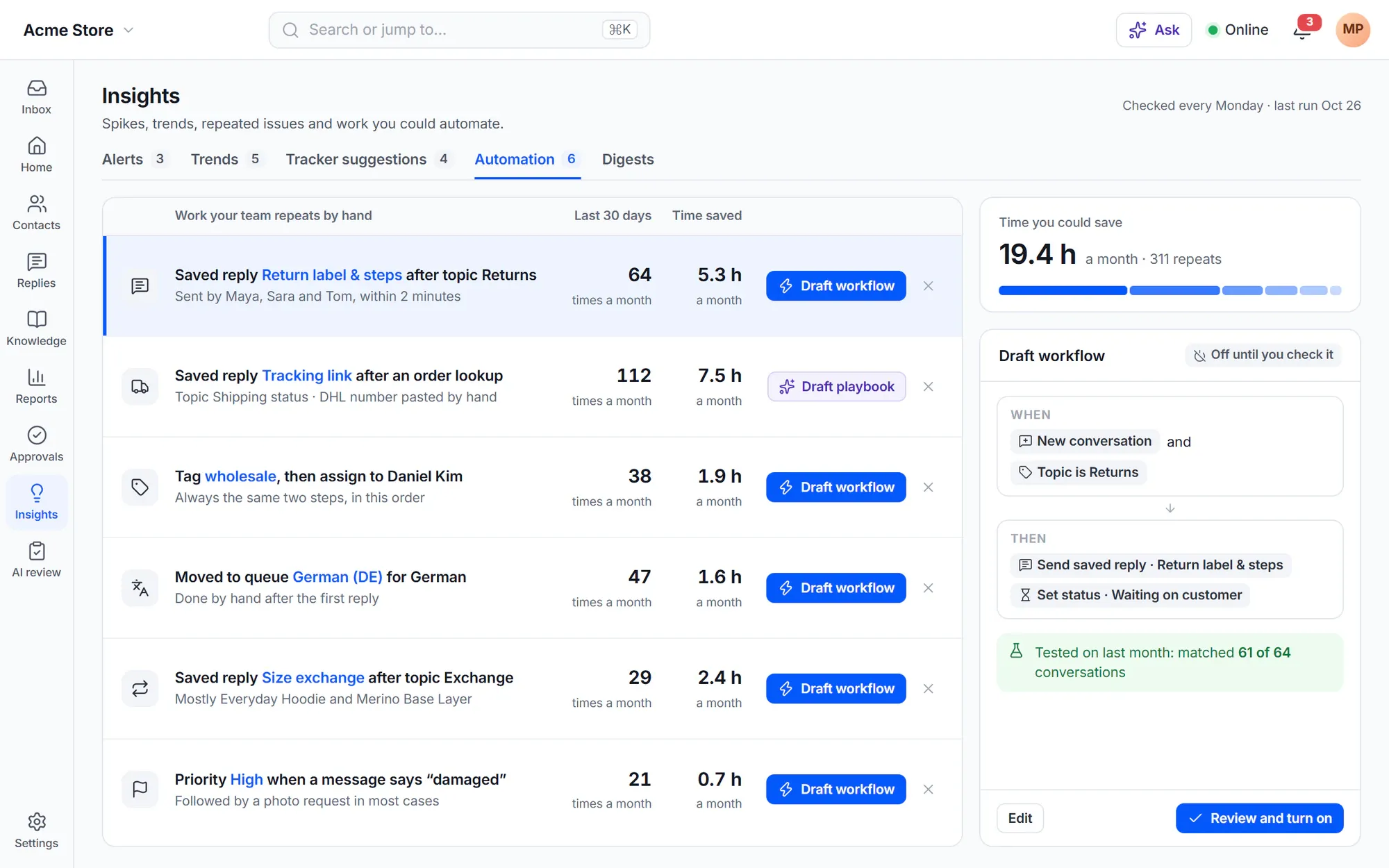
Automation opportunities
Find the work your team repeats by hand
Every week Cliedesk looks for repeated work — the same saved reply after the same topic, the same tag followed by the same assignment — and shows how often it happens and the time you could save. One click drafts a rule or a playbook, switched off until you check it.
Quality
Score every conversation, not a sample
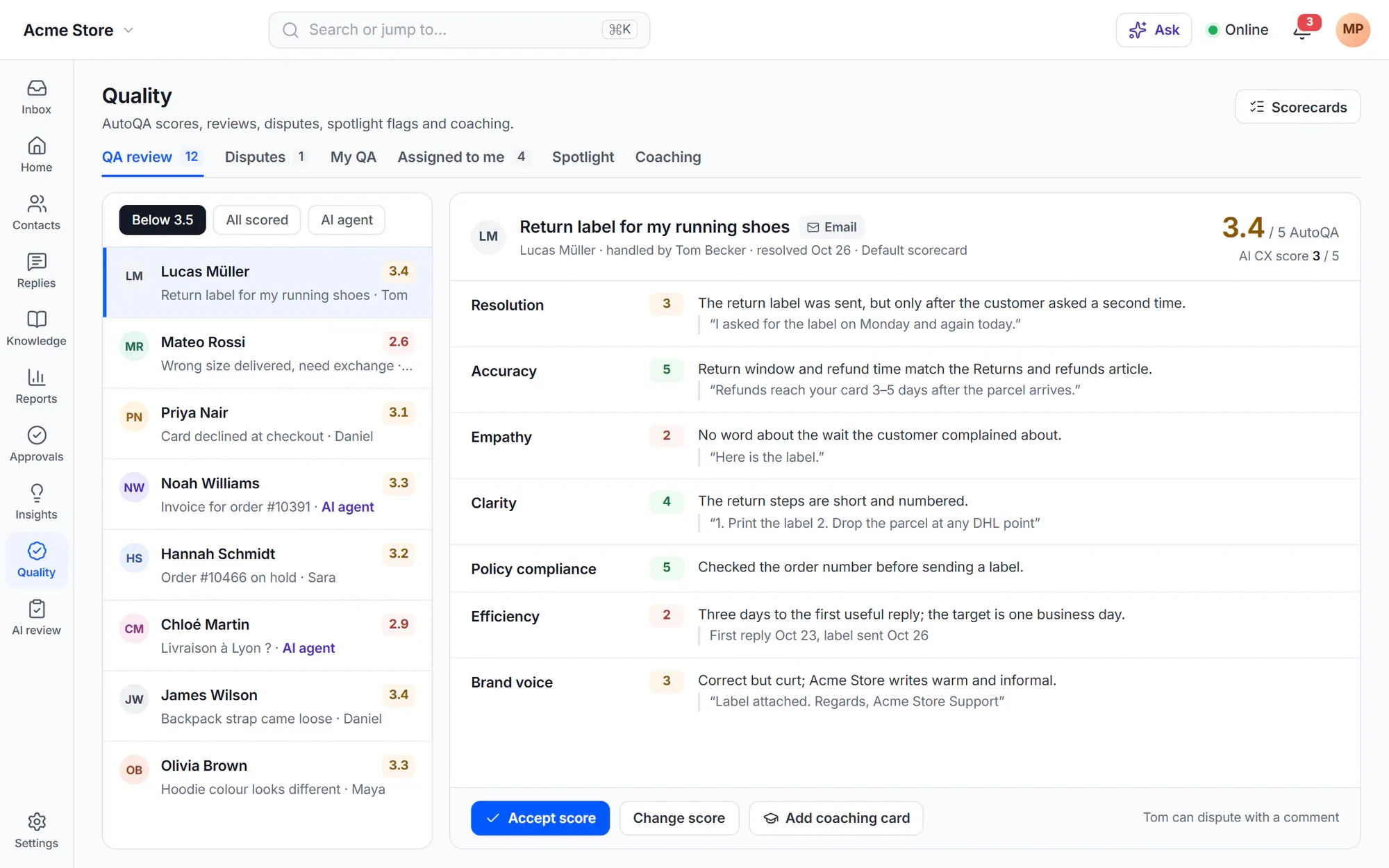
AI CX score and AutoQA
An AI CX score and a scorecard check for every resolved conversation
Shortly after a conversation is resolved, AI gives it a score from 1 to 5 with a reason. About two hours later AutoQA scores it against your scorecard — the same scorecard for people and the AI agent — with a reason and quotes for each criterion.
- Default scorecard: resolution, accuracy, empathy, clarity, policy compliance, efficiency and brand voice
- Low scores go to QA review; agents can dispute a score with a comment
- Monitors, spotlight flags, calibration and coaching cards
In the free plugin: fields, tags and topics set by agents, rules and keyword lists, with CSAT and the core reports. Cliedesk Pro adds: AI triage, topic discovery, insights and alerts, the AI CX score and AutoQA.
Compare plansFrequently asked questions
Can’t find your answer? Search the docs or ask us.
Search the docs →Get support →Do my rules wait for AI triage?
Yes, briefly. Rules wait for AI values for a short time budget (4 seconds by default). After that they use your keyword values, and run again once when the AI values arrive.
Can AI overwrite what my team set?
No. AI never changes a value that a person or a rule set. Values the AI is unsure about are only suggested, and rules ignore them until someone accepts them.
What happens when AI is off or over budget?
Your keyword lists set the triage fields and routing works as usual. AI classifies those conversations again when the budget returns.
Is my data used to train a model?
No. Corrections are stored as examples in your own site, and you can delete any example. Nothing trains a model.
Does AutoQA score the AI agent too?
Yes. The same scorecard applies to people and to the AI agent, so you can compare them fairly.
Know what every conversation is about — and how it went.
Add Cliedesk Pro and your AI key, and triage and quality scoring start on new conversations.